Operation
The operation of the personalization via NFC use case demonstrates the personalization of the OPTIGA™ Authenticate NBT to enable different example applications by applying dedicated configurations to the device.
The NBT Personalization mobile phone app executes personalization sequences to configure OPTIGA™ Authenticate NBT’s interfaces, files and access conditions to support and fit to a specific use case. A generic overview with the most essential steps of the personalization is shown in the next figure.
System architecture
This section shows the system architecture for the personalization.
Hardware
The development shield may be used standalone and does not need to be attached to the host MCU board (although it can). An Android or iOS mobile phone with NFC capability is required to perform the personalization.
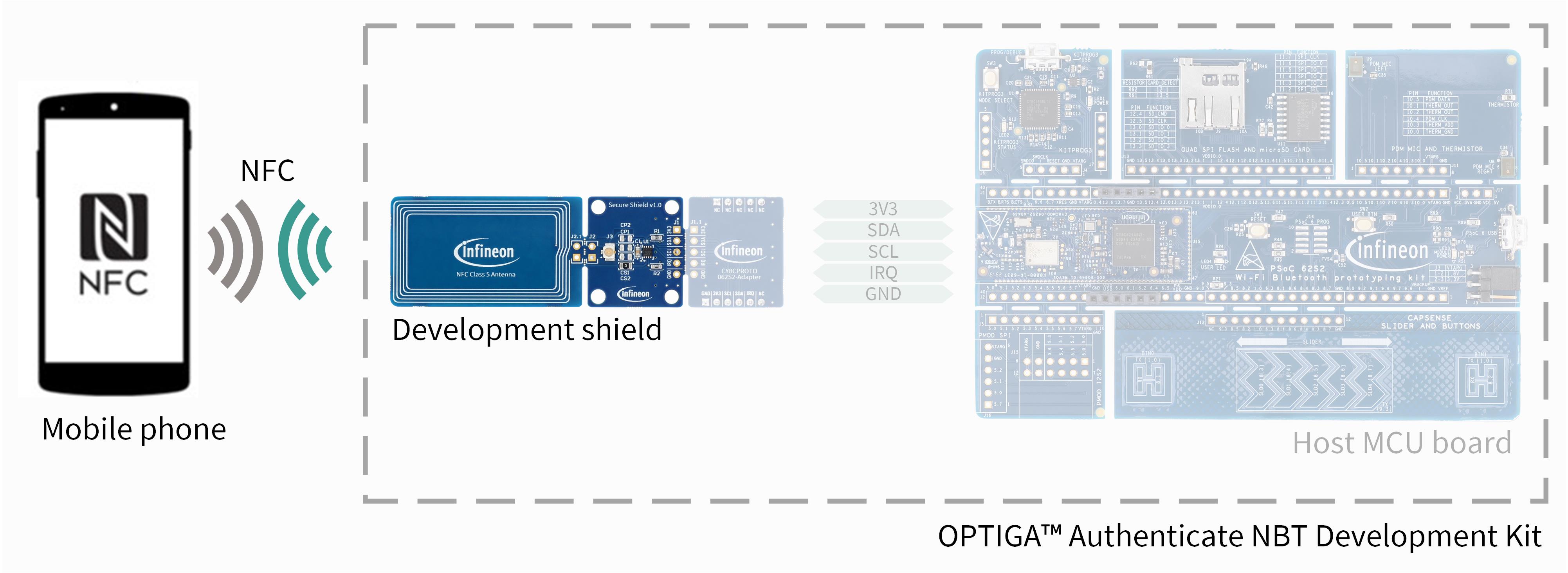
Fig. 120 Hardware components for personalization via NFC.
Software
The NBT Personalization mobile phone app is shared as source code for Android and iOS platforms. This dedicated app can be used to personalize the OPTIGA™ Authenticate NBT device as it contains the necessary personalization logic. Following personalization flow demonstrates the preparation of the device for the online brand protection use case.
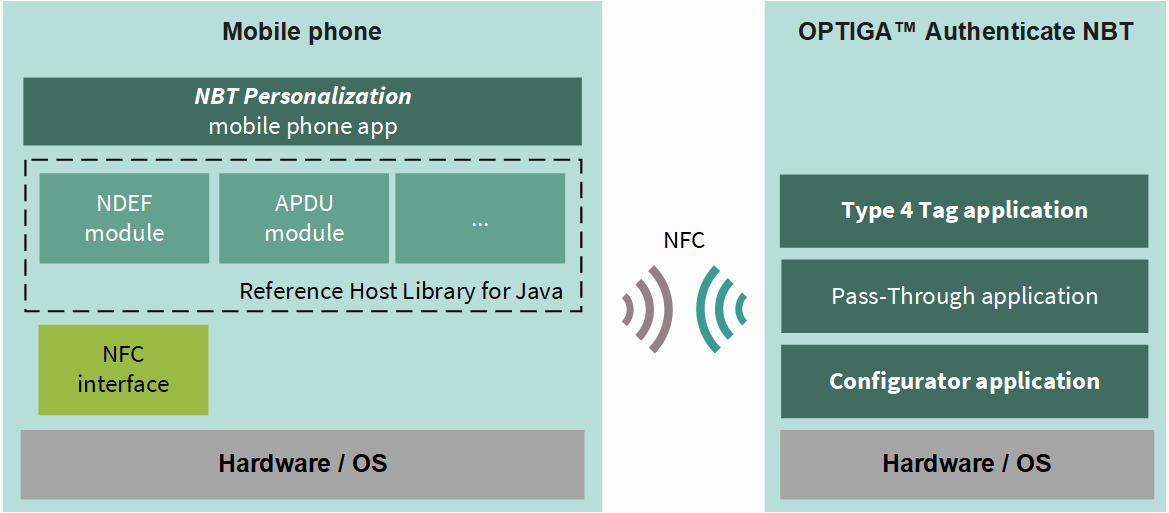
Fig. 121 Software architecture of the included applications for the personalization via NFC.
Personalization flow
Within the sequences, settings of the Configurator application as well as the Type 4 Tag application of the OPTIGA™ Authenticate NBT’s on-chip applications are updated accordingly. Refer to the extended datasheet for more information about the on-chip applications.
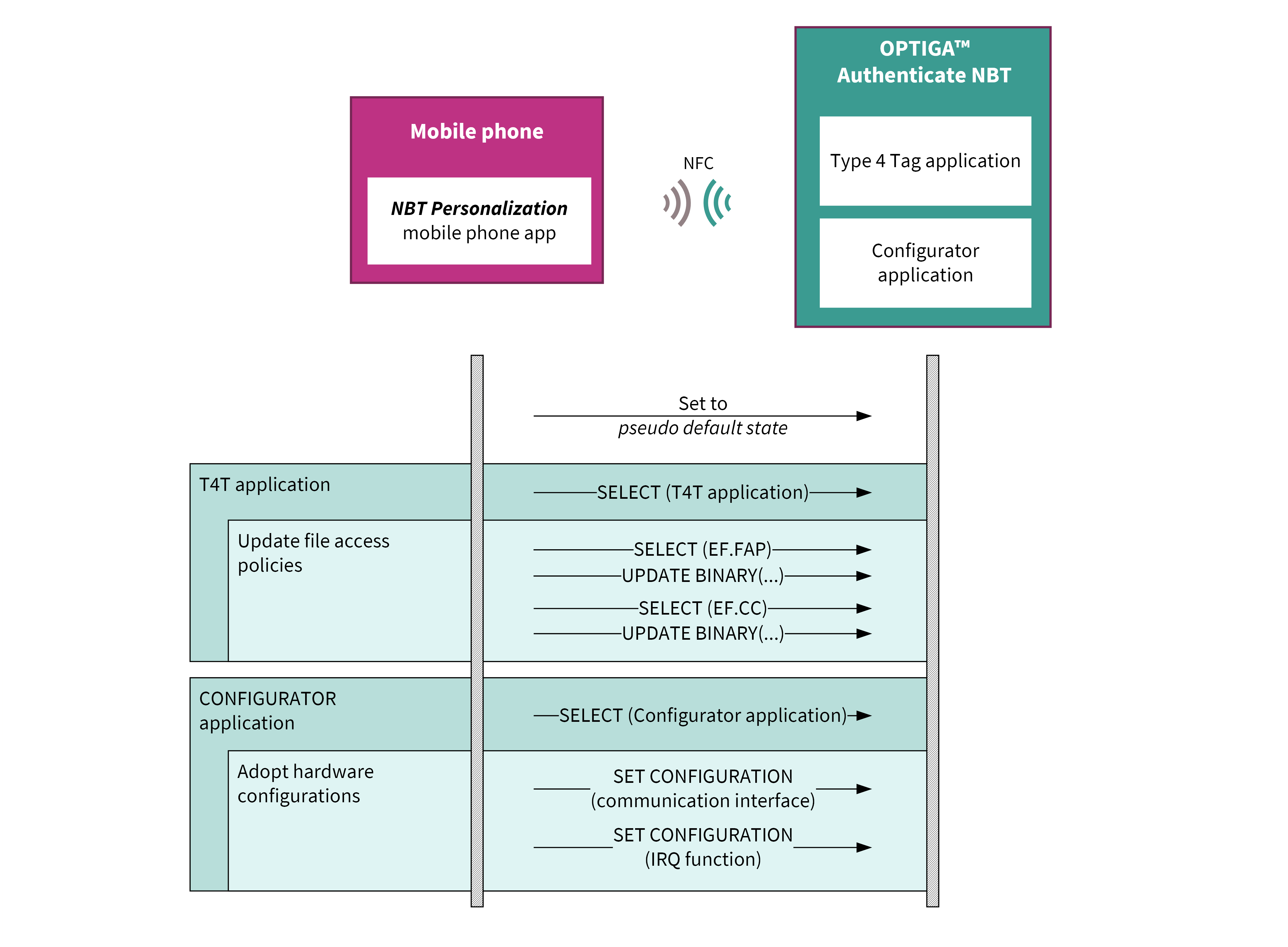
Fig. 122 Flow diagram for personalizing the OPTIGA™ Authenticate NBT for this example application.
The mobile phone app sets the device to a pseudo default state before performing the use case specific personalization. During this step, the NDEF file’s content is cleared and the file access policies are set to the default values. The content of the proprietary files is not altered.
Design details
Describes the core design principles used for the implementation of the application to demonstrate this use case.
Exact configurations
The personalization settings of the respective use case are outlined in the Personalization pages of the associated use case.
The exact configuration of each use case is described in the dedicated Use Case Guide on the OPTIGA™ Authenticate NBT: Product page.
Product life cycle state
The device supports two life cycle states: PERSONALIZATION and OPERATIONAL. The PERSONALIZATION state also allows all interactions with the device. Therefore, the product can remain in this state during the evaluation phase. The OPERATIONAL state restricts modification of certain access policies and re-personalization for other use cases.
Note
As this transition to OPERATIONAL state is non-reversible, this last command is not executed as part of the provided example applications for evaluation. In productive applications, the transition to OPERATIONAL life cycle state is intended to be executed to finalize the personalization process.