Introduction
This documentation introduces the example applications that demonstrate the static connection handover (SCH) use case. It provides guidance on system setup, personalization, and evaluation, ensuring a successful implementation of the use case.
Overview
This section outlines the part of the host software documentation dedicated to the static connection handover (SCH) example applications. The key topics include:
Introduction: Provides an overview and lists the requirements to evaluate this use case.
Personalization: Steps to configure the NBT for a specific use case.
Operation: Steps to prepare and evaluate the system in the operational environment.
User guides: Platform-specific instructions for the provided applications.
Step-by-step guide: Detailed steps to setup, install and evaluate this use case with the provided software/hardware.
Requirements
The following hardware and software components are required to evaluate the use case.
Hardware
The following hardware devices need to be available for this use case:
Android-based mobile phone
Android version: 11+
Development PC
The recommended platform for the development PC is Windows.
Note
As of 2025/07, iOS-based mobile phones do not support to evaluate this use case.
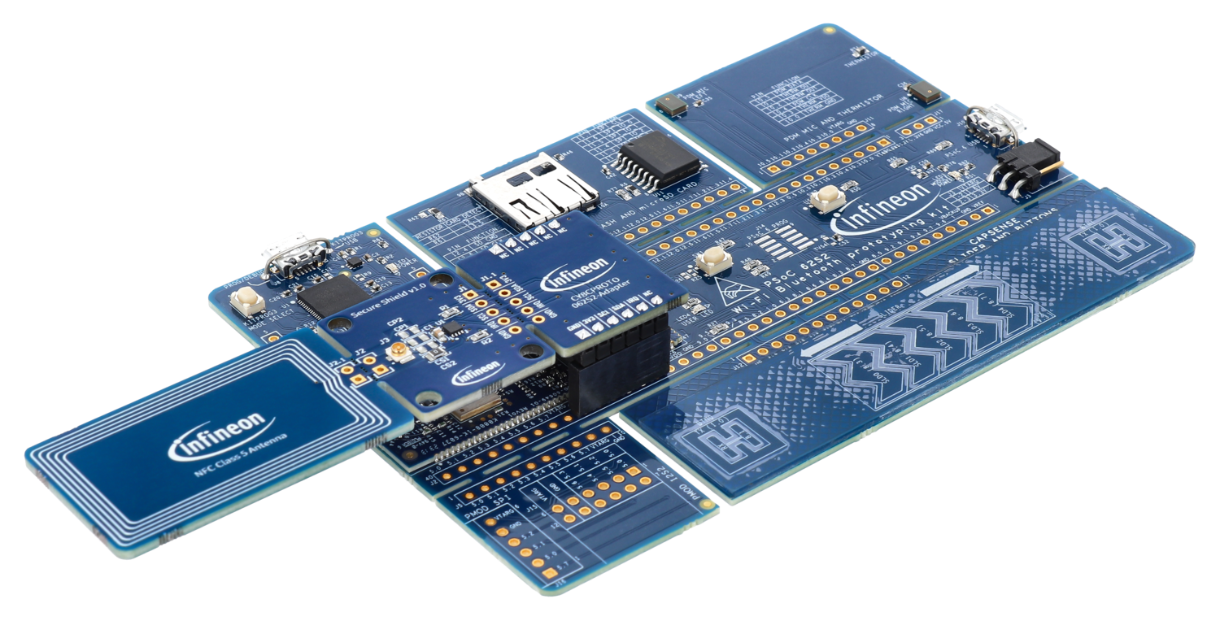
Fig. 104 The OPTIGA™ Authenticate NBT Development Kit.
Software
We provide you several example applications for this use case, all meeting the requirements for software quality level example.
Example application |
Type |
Link |
|---|---|---|
OPTIGA™ Authenticate NBT SCH Application for ModusToolbox™ |
Embedded |
Development tools
The following development tools have to be installed on your development PC:
Software type |
Required tooling |
|---|---|
Embedded application |