Personalization
In order to evaluate the device in this use case it first needs to be configured accordingly, this is done during the personalization phase. See the OPTIGA™ Authenticate NBT Brand Protection Use Case Guide for more information about the general procedure.
The personalization with an example configuration for the evaluation of this use case is performed via NFC (see Target configuration). The NBT Personalization mobile phone app is used to personalize the device for the offline brand protection evaluation.
System architecture
This section shows the system architecture for the personalization.
Hardware
The development shield may be used standalone and does not need to be attached to the host MCU board (although it can). An Android or iOS mobile phone with NFC capability is required to perform the personalization.
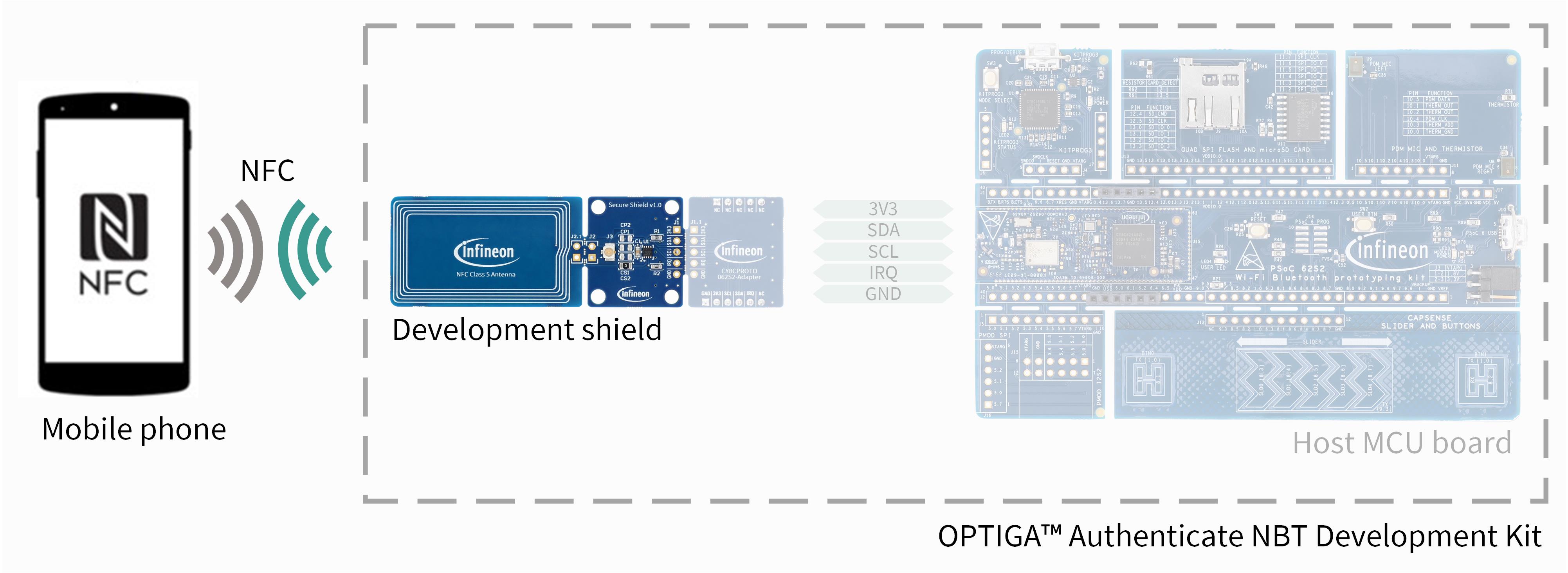
Fig. 41 Hardware components for personalization via NFC.
Software
The dedicated NBT Personalization mobile phone app (Android or iOS) can be used to personalize the device via NFC. In this application, the brand protection use case can be selected to personalize the device for the offline brand protection use case.
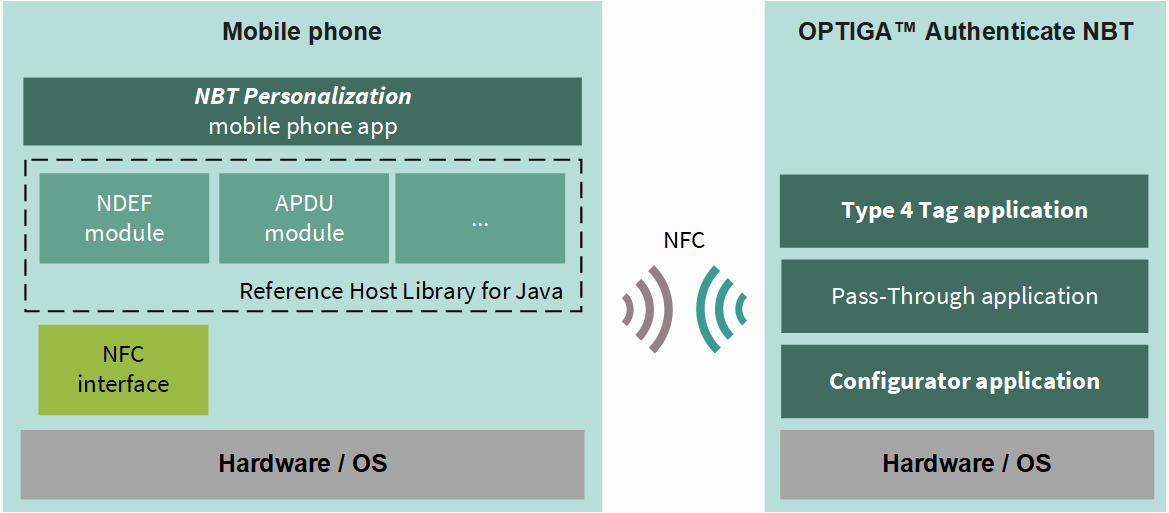
Fig. 42 Software architecture of the included applications for the personalization via NFC.
The NBT Personalization is shared as source code and contains the personalization logic. The applications running on the OPTIGA Authenticate NBT are considered on-chip software, pre-flashed to the device and not alterable.
The personalization flow utilizes the Configurator applicaiton and the Type 4 Tag application of the OPTIGA™ Authenticate NBT’s on-chip applications. Refer to the extended datasheet for more information about the on-chip applications.
Personalization flow
The NBT Personalization mobile phone app personalizes the device via NFC.
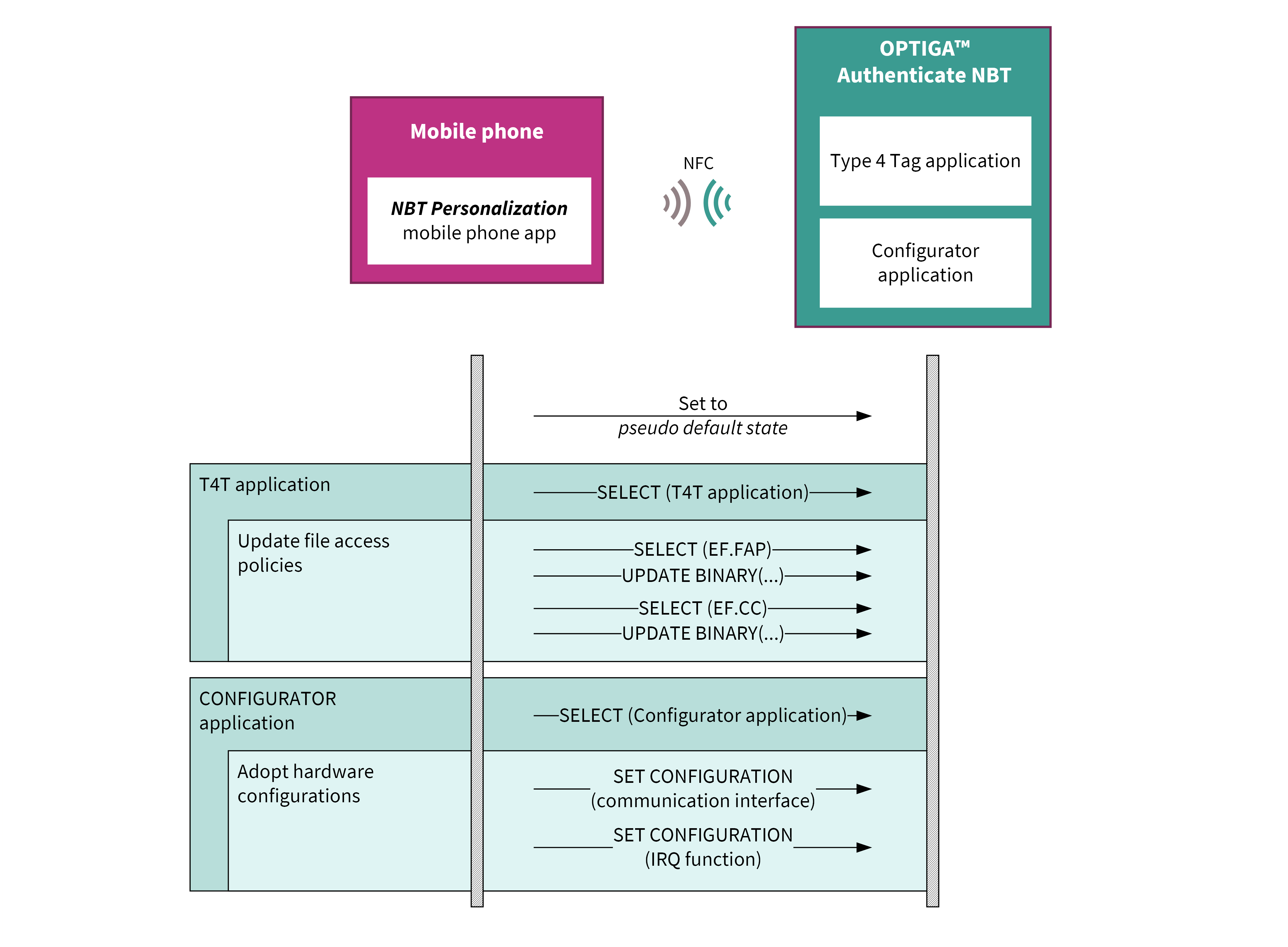
Fig. 43 Flow diagram for personalizing the OPTIGA™ Authenticate NBT for this example application.
The mobile phone app sets the device to a pseudo default state before performing the use-case-specific personalization. During this step, the NDEF file’s content is cleared and the file access policies are set to the default values. The content of the proprietary files is not touched.
Target configuration
Describes which settings of the OPTIGA™ Authenticate NBT are altered during the personalization phase (based on the device’s default state).
T4T file access policy
File |
I2C_Read |
I2C_Update |
NFC_Read |
NFC_Update |
|---|---|---|---|---|
FAP_FILE |
✓ |
✓ |
✓ |
✓ |
CC_FILE |
✗ |
✗ |
✓ |
✗ |
NDEF_FILE |
✗ |
✗ |
✓ |
✗ |
PP1_FILE |
✗ |
✗ |
✗ |
✗ |
PP2_FILE |
✗ |
✗ |
✗ |
✗ |
PP3_FILE |
✗ |
✗ |
✗ |
✗ |
PP4_FILE |
✗ |
✗ |
✗ |
✗ |
The CC_FILE is updated accordingly to reflect the permission settings. In order to allow this operation the permission to update the CC_FILE needs to be temporary granted.
Interface settings
Interface |
Setting |
|---|---|
I2C |
Enabled |
NFC |
Enabled |
IRQ function |
Disabled |
NDEF file content
The NDEF_FILE is filled with an NDEF message consisting of two NDEF records. The first NDEF record contains the COTT placeholder (only relevant for online brand protection). The second NDEF record is populated with the X.509v3 DER-encoded device certificate, which the mobile phone can use to validate the authenticity of the NBT device.
During personalization, the certificate is replaced by the sample device
certificate (sample_device_certificate.pem).
Brand protection signing key (BSK)
During personalization, the initial BSK is replaced by the sample BSK
(sample_device_key.pem) which corresponds to the sample certificate.
This is done using the PERSONALIZE DATA command of the Type 4 Tag
application.